

Not all connections require tasks. If you don’t see any tasks on your connection, it means your trading partner does not require any additional information and no action is needed on your part.
Viewing your tasks
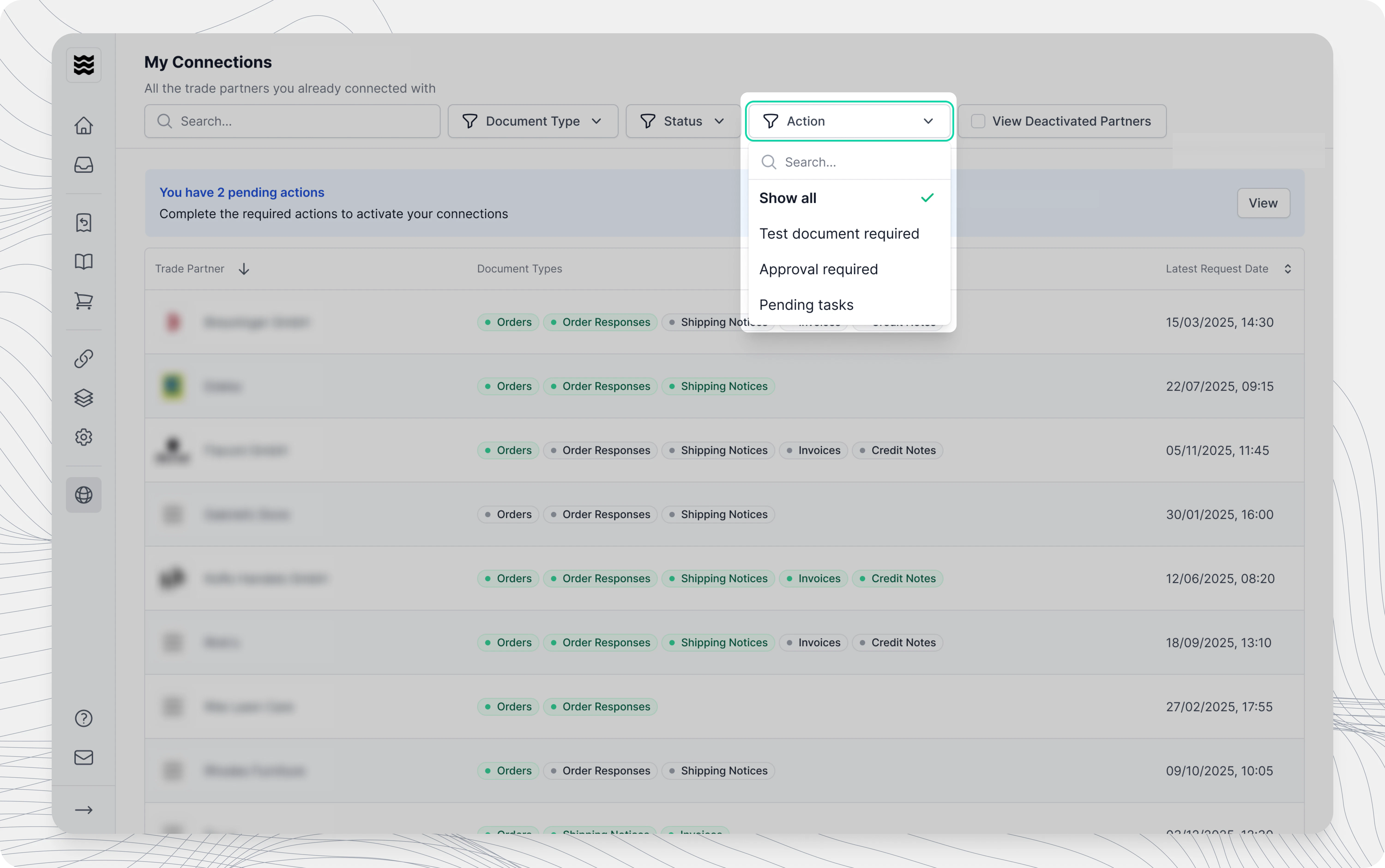
To view tasks assigned to a connection, navigate to Connections, select a trading partner, and click on a specific connection. Tasks are displayed directly in the connection detail view.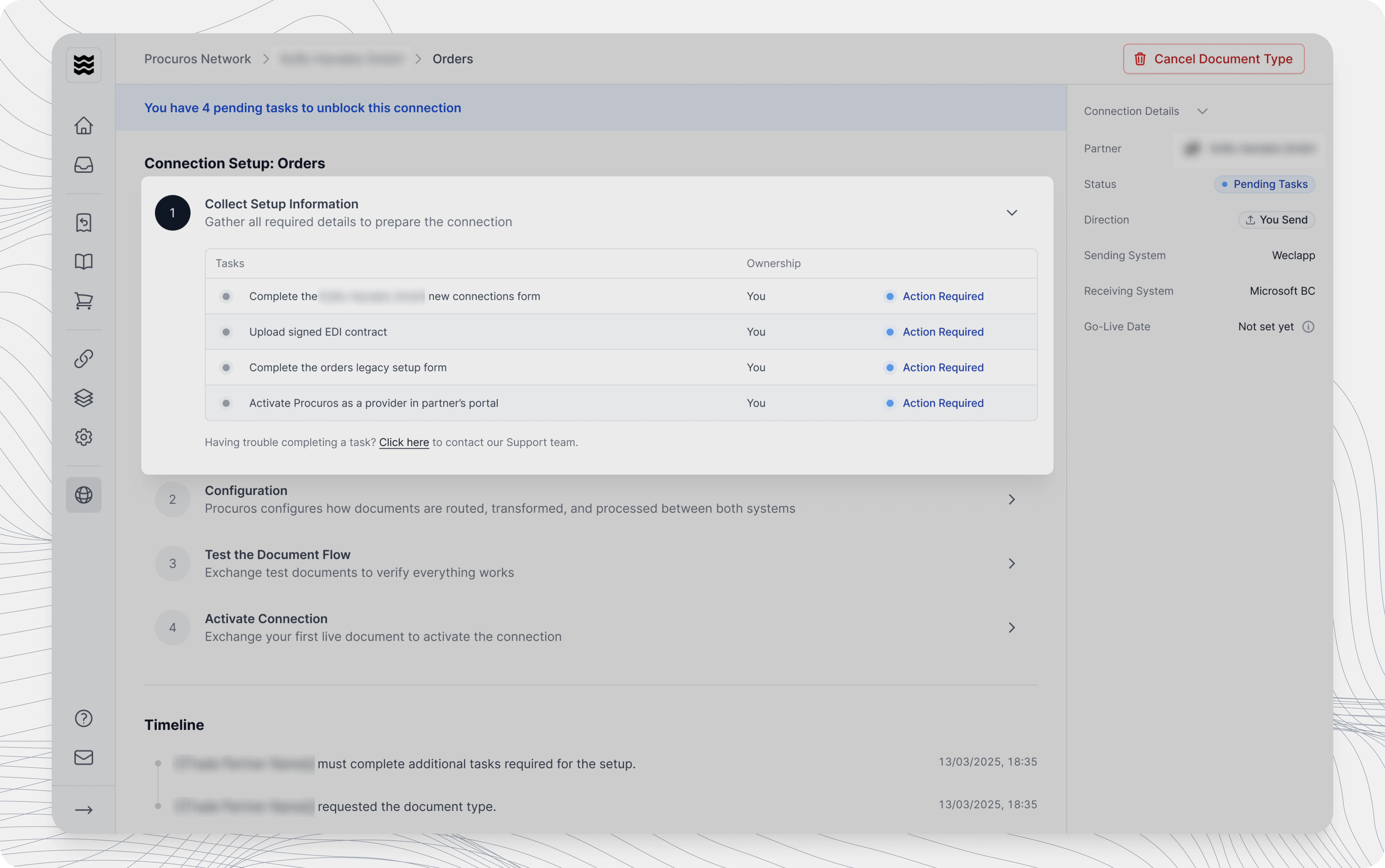
Types of tasks
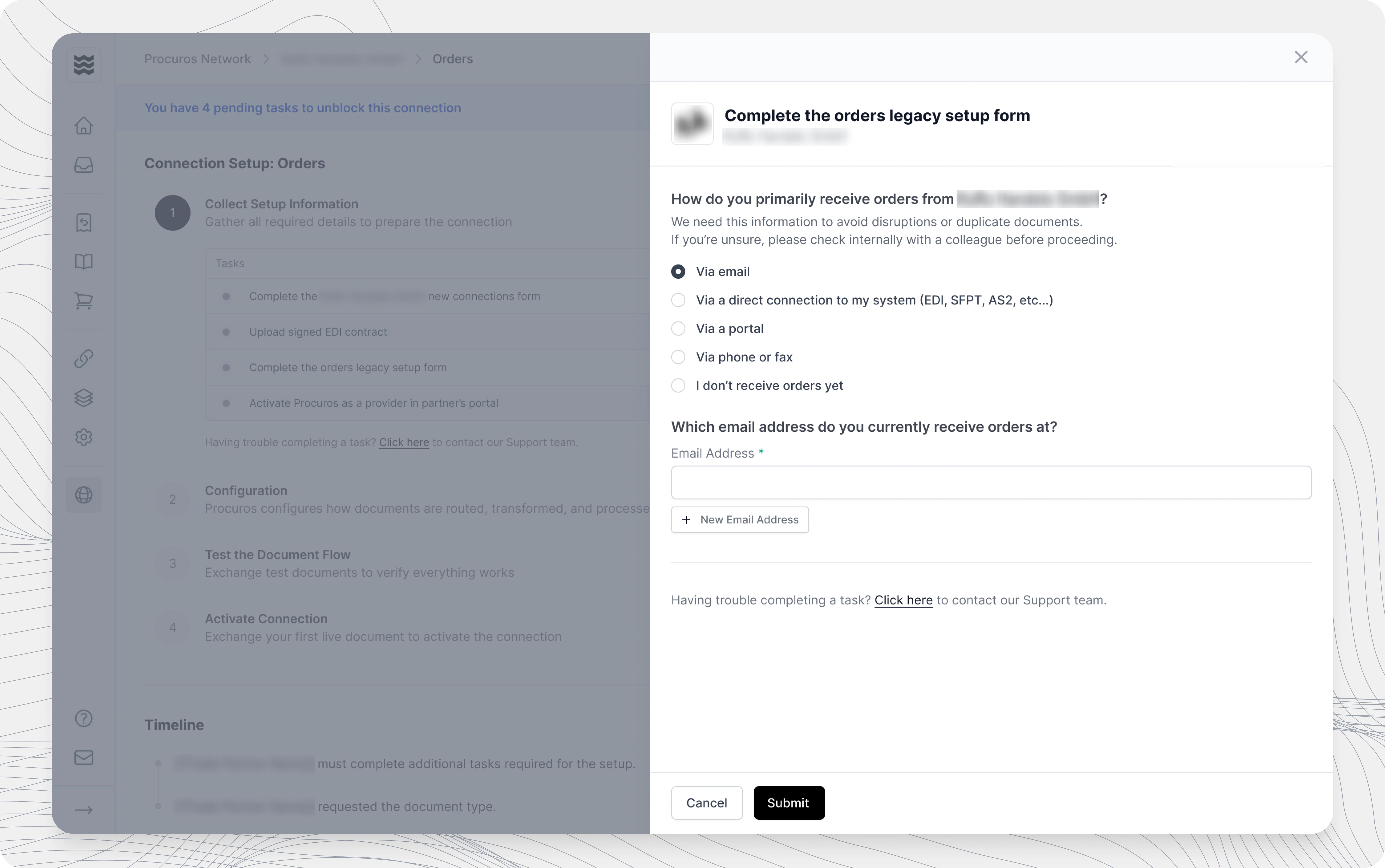
There are two types of tasks you may encounter:- Tasks that require your action — You’ll see a form with fields to fill in, files to upload, or questions to answer. These must be completed before the connection can move forward.
- Tasks handled by Procuros — Some tasks are handled by the Procuros team. You’ll see a description of what’s being done — no action is needed from you for these.
Completing a task
1
Find the task
Open the connection detail page and locate the pending task.
2
Open the task
Click on the task to expand it and read the description and instructions carefully.
3
Fill in the required information
Complete all required fields or upload the requested files.
4
Submit
Review your information to make sure it’s correct, then click Submit.
What happens after submission
Depending on the task, one of the following will happen:- Completed immediately — Some tasks are marked as completed right after you submit. No further action is needed and you can move on to other tasks.
- Goes into review — Other tasks require the Procuros team to review your submission before it’s considered complete. The task status will change to In review. If your submission is rejected, you will be notified by email with instructions on what needs to be corrected.
Task statuses
Each task has a status that indicates where it is in the process:- Pending — The task is assigned to the responsible partner but hasn’t been submitted yet.
- In review — The task has been submitted and is being reviewed. No action needed at this time.
- Completed — The task is done. No further action needed.
- Rejected — The submission needs corrections. Check the feedback provided and resubmit.
Not all tasks go through a review step. Some tasks are marked as completed immediately after submission.
Resubmitting a rejected task
If your submission is rejected, you will receive an email notification explaining what needs to be corrected. The rejection reason is also displayed directly on the task in the portal. To fix and resubmit:- Open the task in the connection detail view
- Read the feedback provided
- Make the necessary changes
- Click Submit again