> ## Documentation Index
> Fetch the complete documentation index at: https://docs.procuros.io/llms.txt
> Use this file to discover all available pages before exploring further.
# How to set up Batches
> Step by step guide to setting up batches in Xentral
## What are Batches?
Batch management enables product traceability and is particularly important in the food and pharmaceutical industries.
### Setting Up Batches
First, navigate to batch management in the Xentral system settings.
.jpg?fit=max&auto=format&n=WEWxE_97bveYqyyM&q=85&s=ebcabbcaa7bab25bc4d03b37567d2ab1) Create a new Report and name it: Procuros: Gelieferte Chargeninformationen
Create a new Report and name it: Procuros: Gelieferte Chargeninformationen
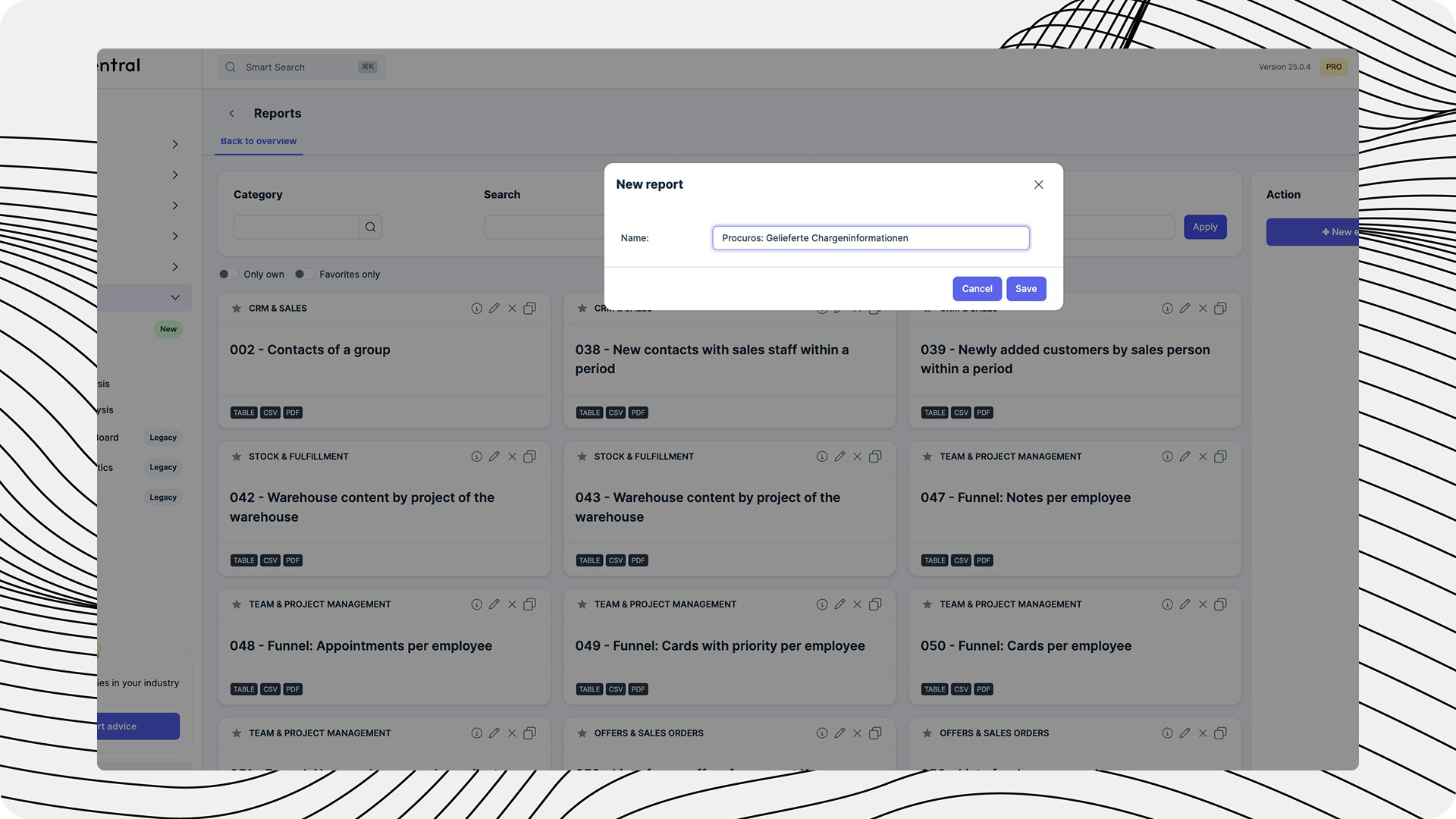 Create a new variable with the following values:
* the variable name must be LIEFERSCHEINID
* the ‘default value’ must be an ID from a delivery note that contains batches:
* to find this ID, go to a delivery note that contains batches that already exist in your system
* open this delivery note
* copy the ID from the URL and enter it in the Default value field
Create a new variable with the following values:
* the variable name must be LIEFERSCHEINID
* the ‘default value’ must be an ID from a delivery note that contains batches:
* to find this ID, go to a delivery note that contains batches that already exist in your system
* open this delivery note
* copy the ID from the URL and enter it in the Default value field
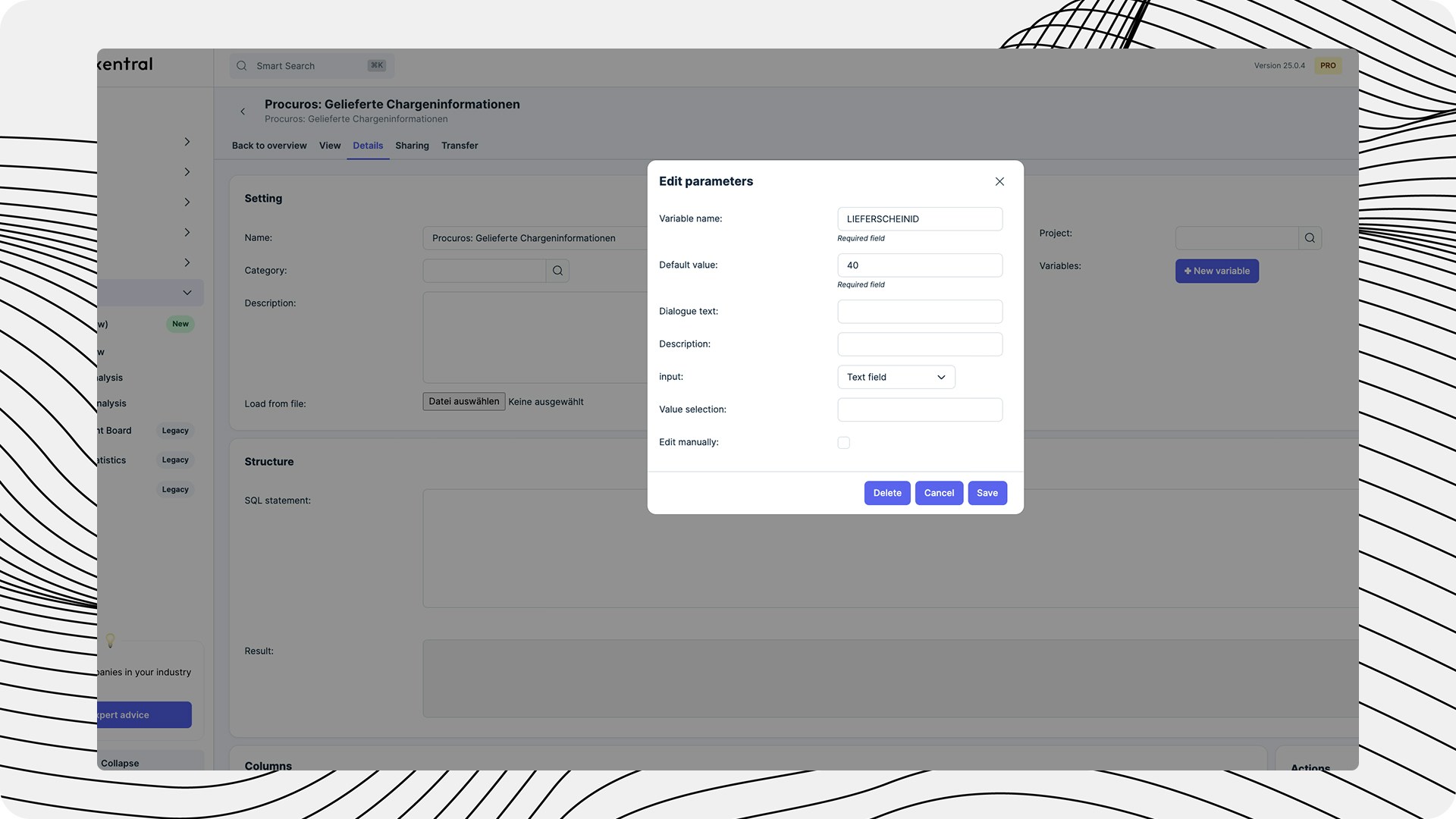 Copy the following SQL-Code-Snippet and paste it into the SQL Field. Click the play-Button afterwards.
```
SELECT *FROM mhd_log WHERE doctype = 'lieferschein' AND doctypeid = '{LIEFERSCHEINID}'
```
Copy the following SQL-Code-Snippet and paste it into the SQL Field. Click the play-Button afterwards.
```
SELECT *FROM mhd_log WHERE doctype = 'lieferschein' AND doctypeid = '{LIEFERSCHEINID}'
```
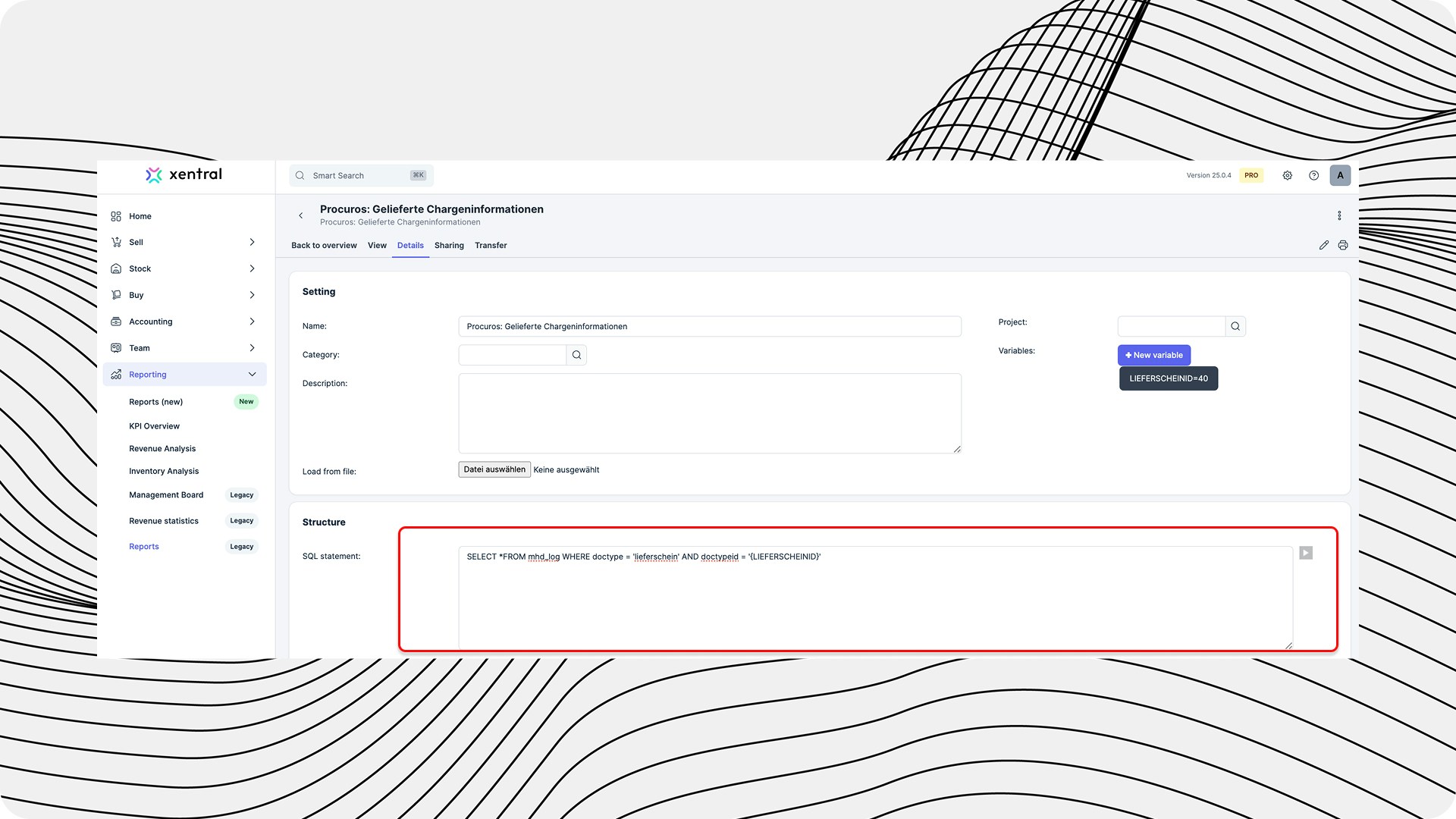 Click on "generate columns"
 Go over to the "Transfer"-Tab and set the following API Access settings:
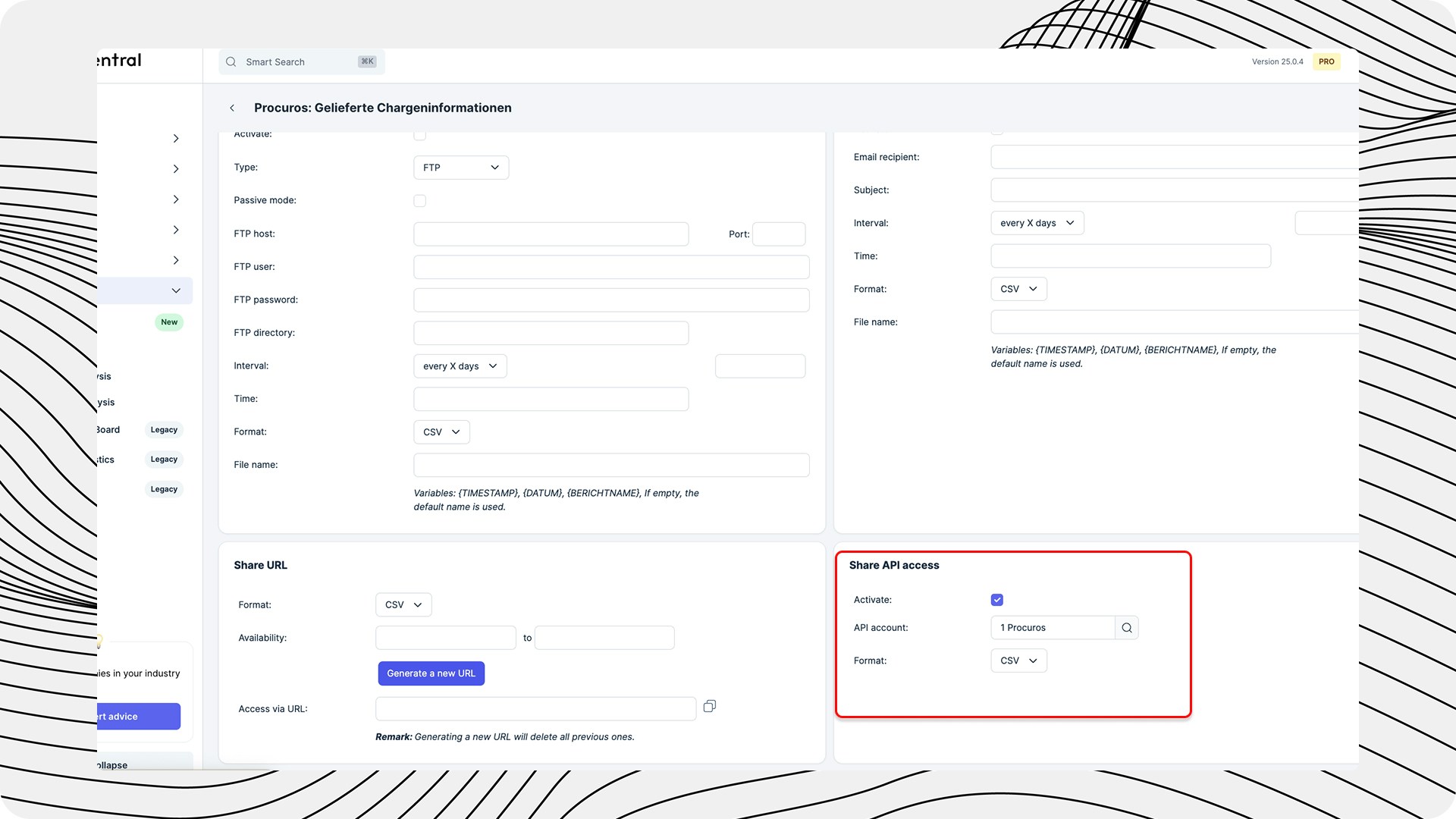 Open the report and you will find the ID in the URL (e.g. ...\&id=170). This number must be sent to Procuros. If you are not sure which number to use, simply send us the entire link. Send an e-mail to [edi@procuros.io](mailto:edi@procuros.io) - we will then store this ID in our system.
### Managing Best-Before Dates
Closely connected to batch management is the management of best-before dates:
Activate the management of best-before dates in the article settings
Open the report and you will find the ID in the URL (e.g. ...\&id=170). This number must be sent to Procuros. If you are not sure which number to use, simply send us the entire link. Send an e-mail to [edi@procuros.io](mailto:edi@procuros.io) - we will then store this ID in our system.
### Managing Best-Before Dates
Closely connected to batch management is the management of best-before dates:
Activate the management of best-before dates in the article settings
.jpg?fit=max&auto=format&n=WEWxE_97bveYqyyM&q=85&s=d113159fed3d96aed7f00a0f9e14ffa9) Navigate to Best Before + Batch and enter the number of items, the corresponding best-before date and the desired storage location of the item.
Navigate to Best Before + Batch and enter the number of items, the corresponding best-before date and the desired storage location of the item.
.jpg?fit=max&auto=format&n=WEWxE_97bveYqyyM&q=85&s=9f97c72eac34f3489317e12ffc04aedb) The correct management of batches and best-before dates is particularly important for companies subject to legal traceability obligations.
The correct management of batches and best-before dates is particularly important for companies subject to legal traceability obligations.