> ## Documentation Index
> Fetch the complete documentation index at: https://docs.procuros.io/llms.txt
> Use this file to discover all available pages before exploring further.
# How to set up Deposits
> Step by step guide to setting up deposits in Weclapp
### Deposit Article Setup in Weclapp
It is necessary that your Deposit Articles are also assigned a GTIN. GTINs for deposit items can be generated on [**GS1's Check Digit Calculator**](https://www.gs1-germany.de/serviceverzeichnis/pruefziffernrechner/#c418).
**Step 1**
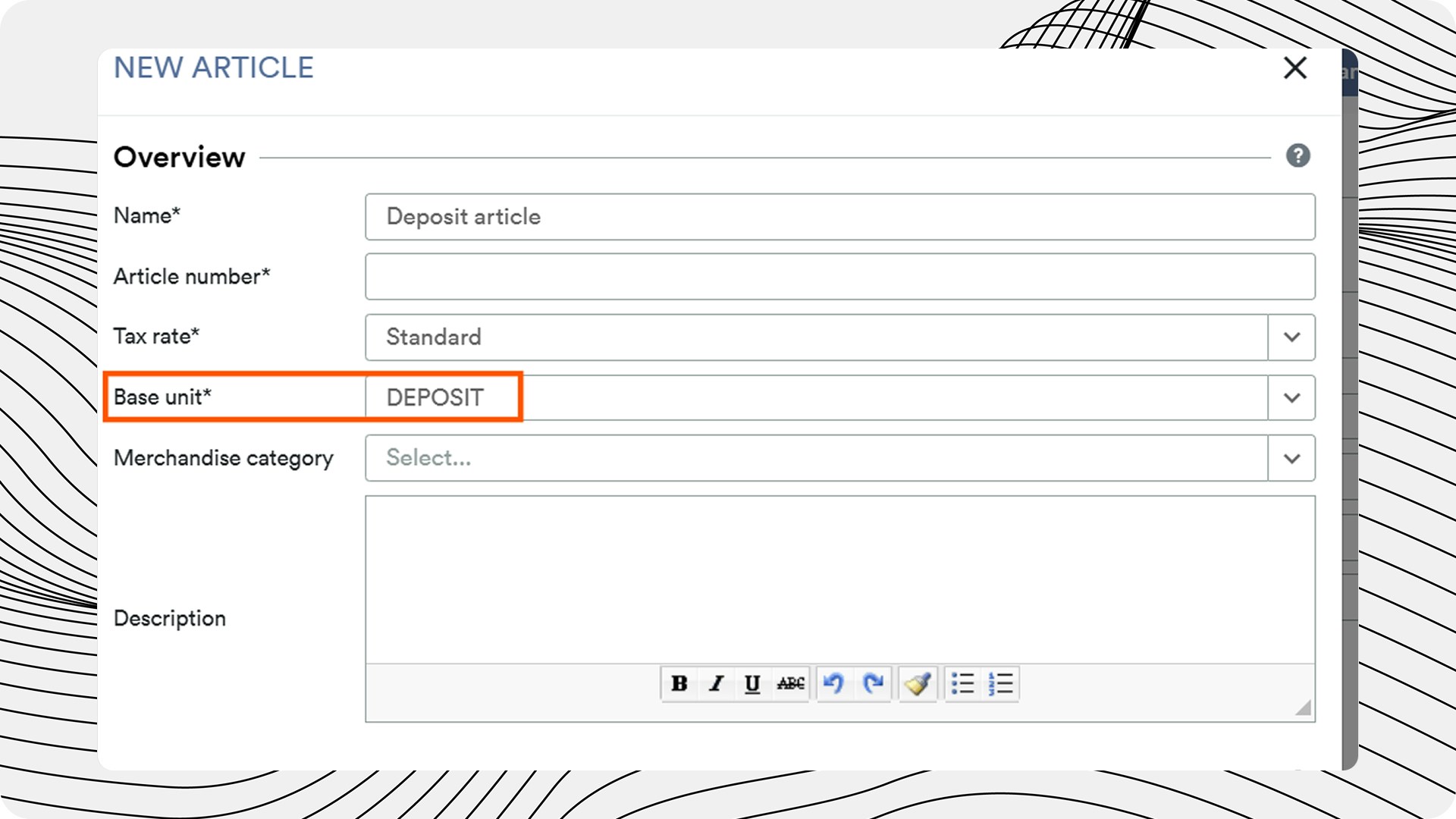
The Deposit Article must be set up as a single item.
The "Product group" must be set to a "Deposit".
The "Unit of measure" must also be a "Deposit" (not a "Piece", for example). This can be set universally in the settings for the "Unit of measure".
The Deposit Article requires a GTIN/EAN (set up beforehand).
**Step 2**
Articles with a Bottle Deposit must be created as a "Parts List".
Parts Lists can be created in weclapp. A separate Bill of Materials (BOM) is therefore required for each item subject to a deposit. Each of these BOMs must be created with the following parameters:
* the item for which a deposit is charged
* the Deposit article with the "Unit" set as "deposit"
* Important: the deposit product must correspond to the container size of the product: e.g. 4x water → 4x deposit (= 1 item), and NOT 4 x 1x deposit (= 4 items)
* the EAN/GTIN of the deposit item
The corresponding EAN/GTIN is then deleted from the deposit item itself and added to the BOM, the deposit item must be assigned a newly generated EAN/GTIN.
Using the Unit of Measure (Deposit) it is then possible to differentiate between the deposit product and the deposit item.